
Design Homes with DrawHome Mobile
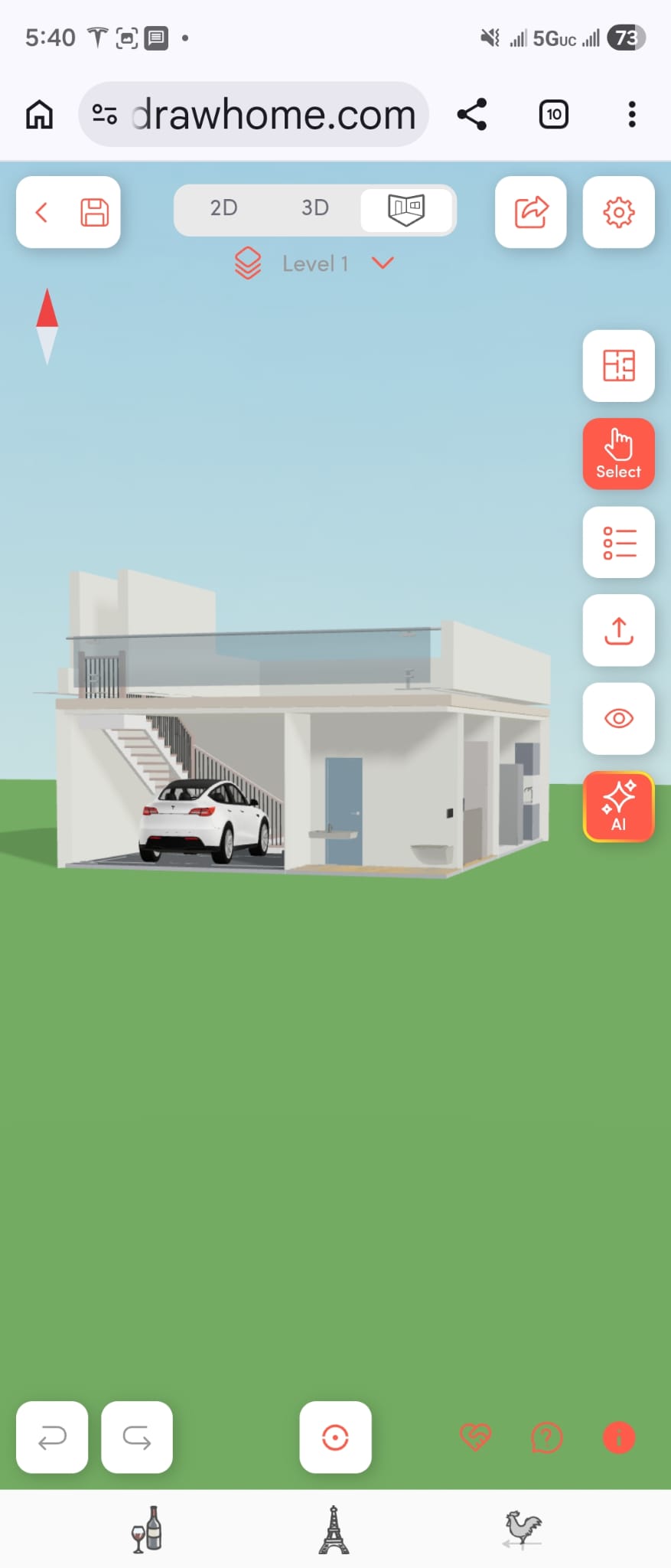
Creating a complete home design from a mobile browser used to feel impossible. Most floor plan tools were built for desktop use, required software installation, or became difficult to control on smaller screens. DrawHome was designed differently from the start.
DrawHome is one of the few browser-based floor plan applications that works smoothly on mobile devices without requiring any installation. Users can open the app directly in their browser and begin designing immediately.
Full Home Design Directly from a Mobile Browser
The project shown here was created entirely on a mobile phone in under 30 minutes. The design includes:
-
A complete 2-bedroom layout
-
Interior furnishings
-
Dining setup
-
Bedroom furniture
-
Cabinets and storage
-
Exterior stairs
-
Multi-level structure elements
This demonstrates how modern browser technology can now support real architectural workflows on mobile devices.
AI Floor Plan Creation for Free
DrawHome also includes AI-powered tools that help users generate floor plans quickly. Instead of spending hours building layouts manually, users can begin with AI-assisted generation and continue customizing the design to fit their needs.
Unlike many traditional tools, DrawHome allows users to try these AI features for free directly from the browser.
This dramatically lowers the barrier for homeowners, students, designers, and builders who want to experiment with layouts without expensive software.
Compact Workspaces Designed Efficiently
Smaller homes and compact living spaces require careful planning. Furniture placement, circulation, storage, and stair positioning all become more important when working with limited square footage.
DrawHome makes this process easier by allowing users to rapidly place and adjust interior elements while viewing the full design in both 2D and 3D modes.
Because the system is interactive and browser-based, users can quickly test multiple arrangements and optimize the space visually.
Mobile-Friendly Does Not Mean Feature-Limited
Most mobile design apps simplify functionality to the point where serious design work becomes difficult. DrawHome maintains advanced capabilities while remaining usable on phones and tablets.
Users can still:
-
Switch between 2D and 3D
-
Add furniture and catalog objects
-
Design multi-story layouts
-
Customize textures and materials
-
Use AI rendering tools
-
Work with stairs and structural elements
All directly inside the mobile browser.
Interactive Projects You Can Customize Yourself
One of the most powerful aspects of DrawHome is that projects are interactive and editable. Instead of viewing static screenshots, users can open a shared project and continue modifying it themselves.
You can explore and customize the featured mobile-built project here:
Open the Interactive DrawHome Project
The Future of Browser-Based Home Design
DrawHome demonstrates that professional-style floor planning no longer needs heavy desktop software or complicated workflows. By combining mobile accessibility, AI-assisted design, and real-time 3D interaction, DrawHome makes architectural visualization available to anyone with a browser.
Whether you are planning a compact workspace, a small home, or a larger residential project, DrawHome allows you to design, visualize, and customize your ideas from virtually anywhere.