
Design Your Dream Home in Minutes:
Meet DrawHome’s AI Floor Plan Generator
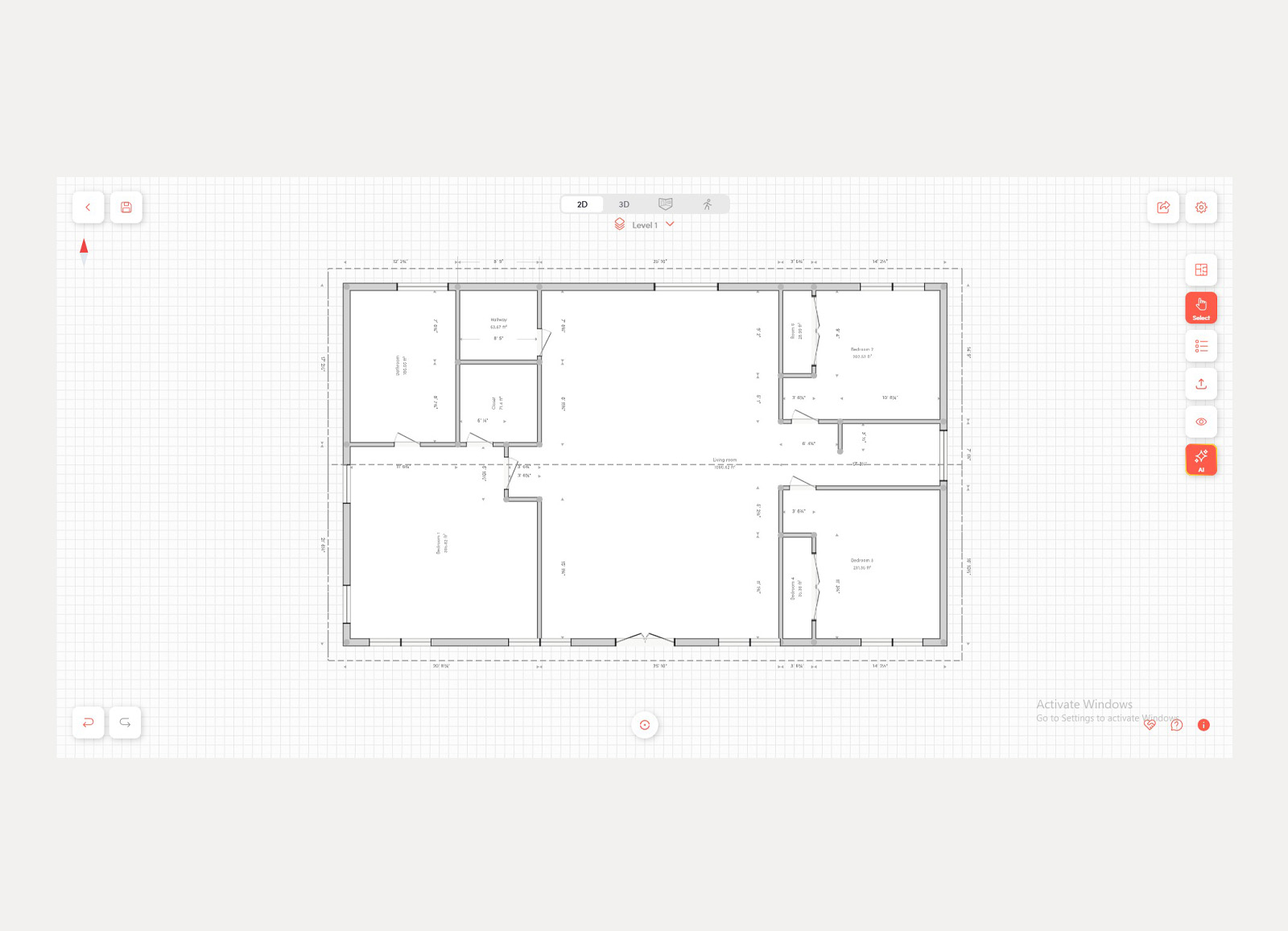
Just tell the AI how many rooms you need — it handles the rest. No design skills required.
Imagine describing your ideal home — three bedrooms, two bathrooms, an open kitchen, a cosy living room — and watching a complete, professional floor plan appear in seconds. That’s exactly what DrawHome’s new AI Floor Plan Generation feature makes possible.
In this article
- What is the AI Floor Plan Generator?
- How it works — step by step
- What rooms can you specify?
- More than floor plans — the full DrawHome platform
- Who is it for?
- See it in action
1. What is the AI Floor Plan Generator?
DrawHome has long been the go-to browser-based tool for 3D home design. Now, it takes a major leap forward: you can generate a complete floor plan using nothing but your room preferences. The AI analyses your inputs, applies architectural best practices, and lays out a logical, liveable space — automatically.
No more blank canvas paralysis. No more hours nudging walls in a CAD editor. You simply answer a few questions, and the AI does the heavy lifting.
Seconds
to generate a full floor plan
Zero
design skills needed
100%
editable after generation
2. How it works — step by step
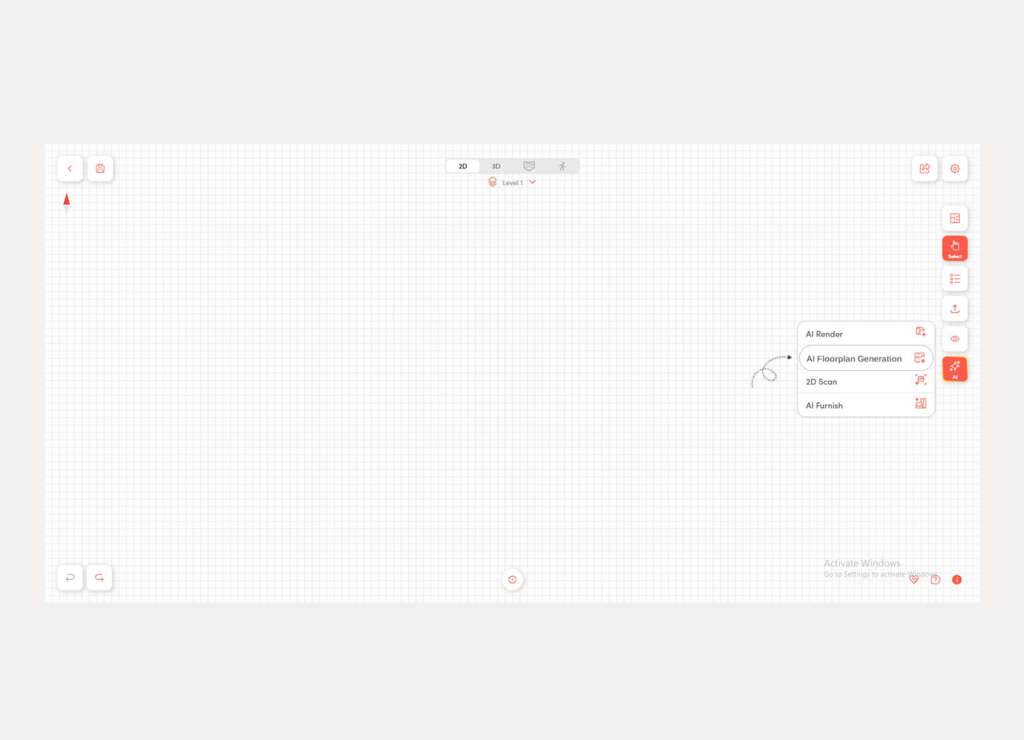
The process is refreshingly simple. Here’s what happens when you launch the AI Floor Plan feature inside the DrawHome app:
Step 1
Answer the prompts
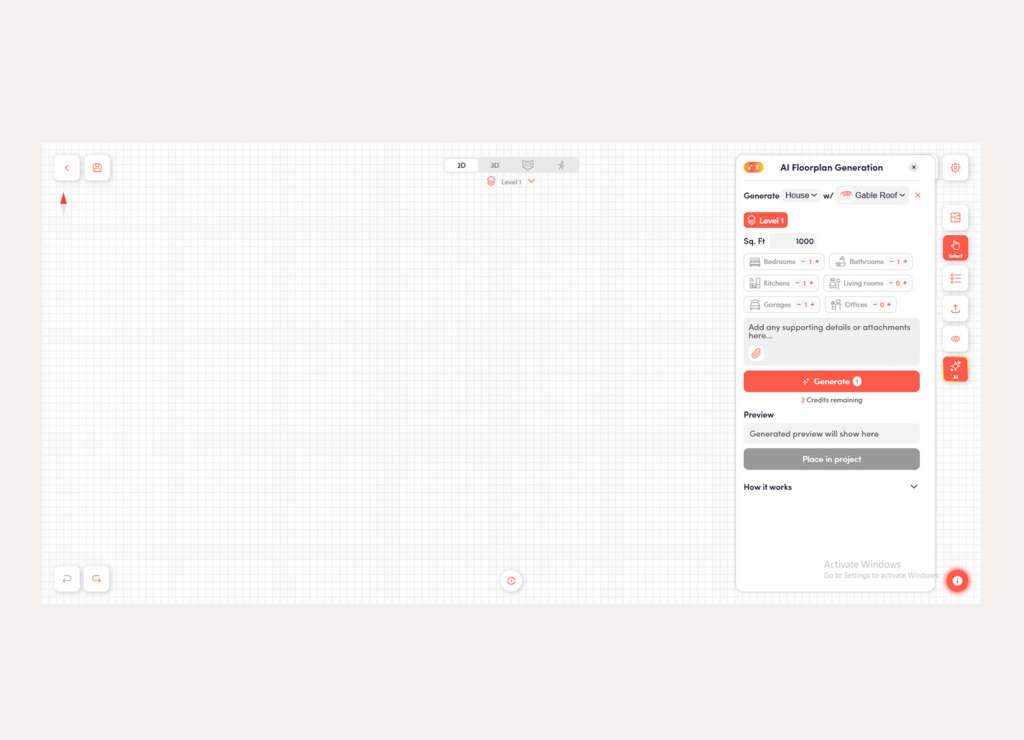
The AI asks how many of each room type you want — bedrooms, bathrooms, kitchen, living room, and more.
Step 2
AI processes your brief
DrawHome’s AI analyses your requirements and applies smart spatial logic to create an optimised layout.
Step 3
Floor plan appears
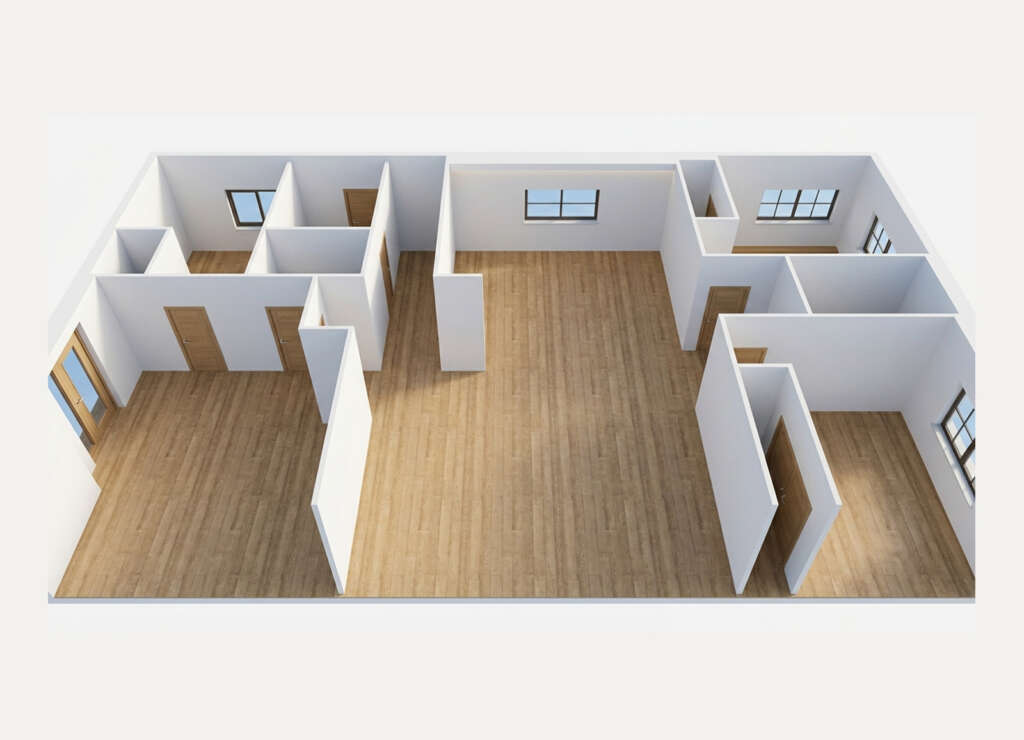
A complete, properly proportioned floor plan is generated — with rooms correctly sized and positioned.
Step 4
Edit and refine
The result is fully editable. Move walls, add furniture, swap materials, and take it all the way to 3D.
3. What rooms can you specify?
You’re in control of every key space. Simply tell the AI how many of each you want:
Bedrooms
Bathrooms
Kitchen
Living Room
Dining Room
Entrance / Hallway
Storage / Utility
Once generated, you’re not locked in. DrawHome’s editor lets you resize any room, shift walls, add windows and doors, and completely rework the layout — the AI output is a starting point, not a final answer.
4. More than floor plans — the full DrawHome platform
The AI Floor Plan Generator is the newest addition to an already powerful platform. Here’s what makes DrawHome stand apart:
- Instant 2D → 3D — Every floor plan you draw or generate can be previewed in full 3D, including a dollhouse view and walkthrough mode.
- AI roof generation — Once walls are drawn, DrawHome auto-generates a roof with your choice of style, material, and colour.
- Procedural stair generation — No more manual stair headaches; DrawHome handles height, alignment, and openings automatically.
- Outdoor & landscape design — Design complete outdoor scenes including gardens, patios, and outdoor kitchens in the same tool.
- Real-time collaboration — Share projects with flexible permissions and work with clients or teammates live, replacing cumbersome email chains.
- Works on mobile — One of the few browser-based floor plan tools built to work smoothly on smartphones, no install needed.
Website
DrawHome Home
Try it now
Launch the App
Inspiration
Browse Examples
Video tutorials
YouTube Channel
More articles
DrawHome Blog
5. Who is this for?
Homeowners
Planning a renovation or new build? Visualise your dream home before a single brick is laid — no professional skills needed.
Builders & engineers
Quickly test layout options, check spatial logic, and translate ideas into clear visual blueprints for clients.
Interior designers
Generate a solid layout foundation in seconds, then focus on what you do best — styling, materials, and finishing touches.
Real estate agents
Create clear, attractive floor plan visuals for property listings and client presentations without hiring a drafter.
6. See it in action
The best way to understand DrawHome’s AI Floor Plan Generator is to watch it work. The DrawHome YouTube channel has step-by-step video walkthroughs showing how quickly a complete home design comes together — from the initial room count prompt all the way through to a 3D walkthrough.
And if you want inspiration before you start, the Examples page is packed with ready-to-use projects you can explore, adapt, or combine to make your own.
DrawHome’s AI Floor Plan Generator removes the single biggest barrier to home design: the blank canvas. Instead of starting from scratch, you start with a smart, architect-informed layout built around your exact needs. From there, the full power of DrawHome’s 3D editor, roof generator, furniture AI, and collaboration tools is at your fingertips.
Whether you’re planning your forever home, pitching to a client, or simply exploring what’s possible — the AI does the groundwork so you can focus on the vision.
Ready to try it?
It’s free to start — no installation, no design experience required. Just open the app and describe your home.
Start designing on DrawHome →